


An answer from your first check
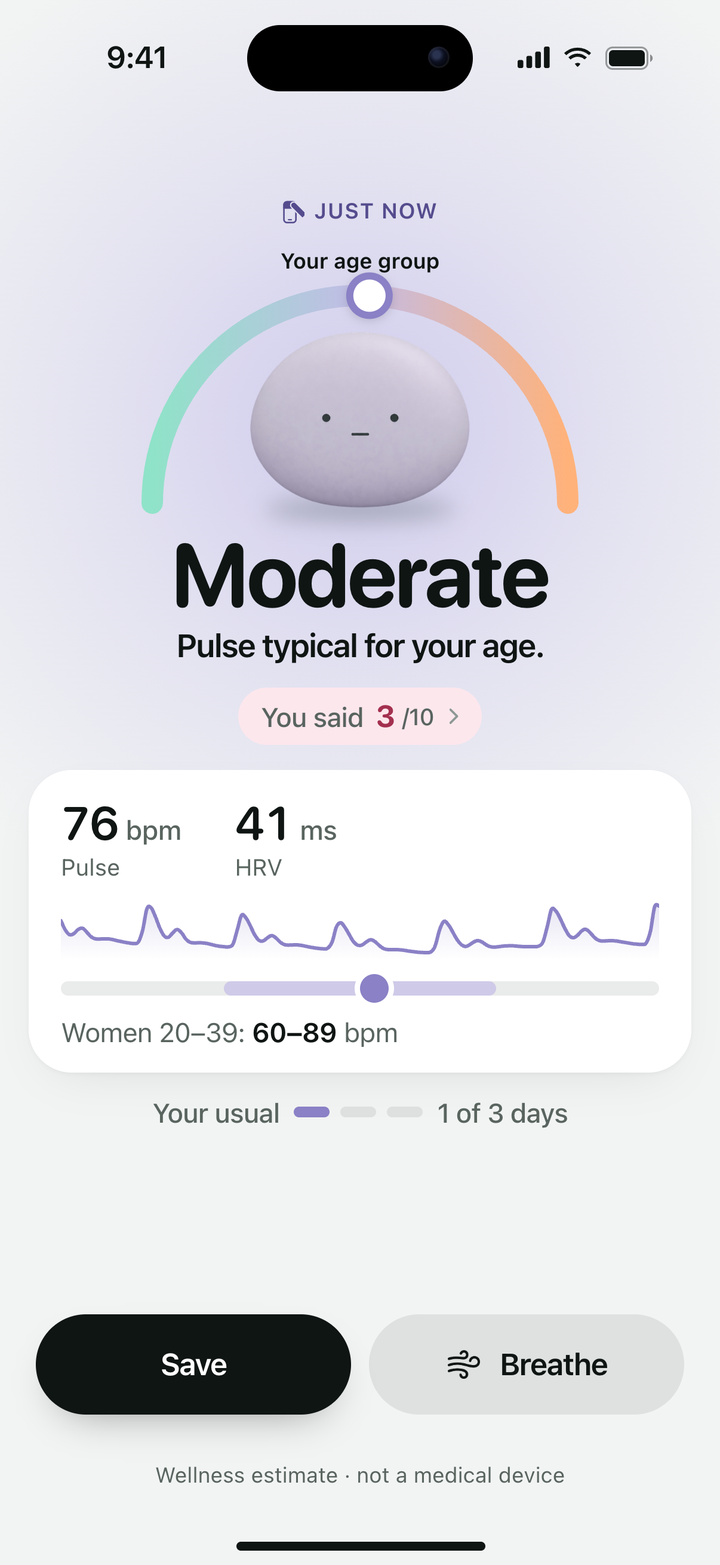
Your pulse is compared with people your age or your Apple Health history. After 3 days of checks, your HRV is compared with your own usual.
Stress and anxiety tracker for iPhone
Works with Apple Watch and AirPods Pro 3. Or just your thumb on the front camera.

3-day free trial, then $39.99/year. Or $6.99/week.

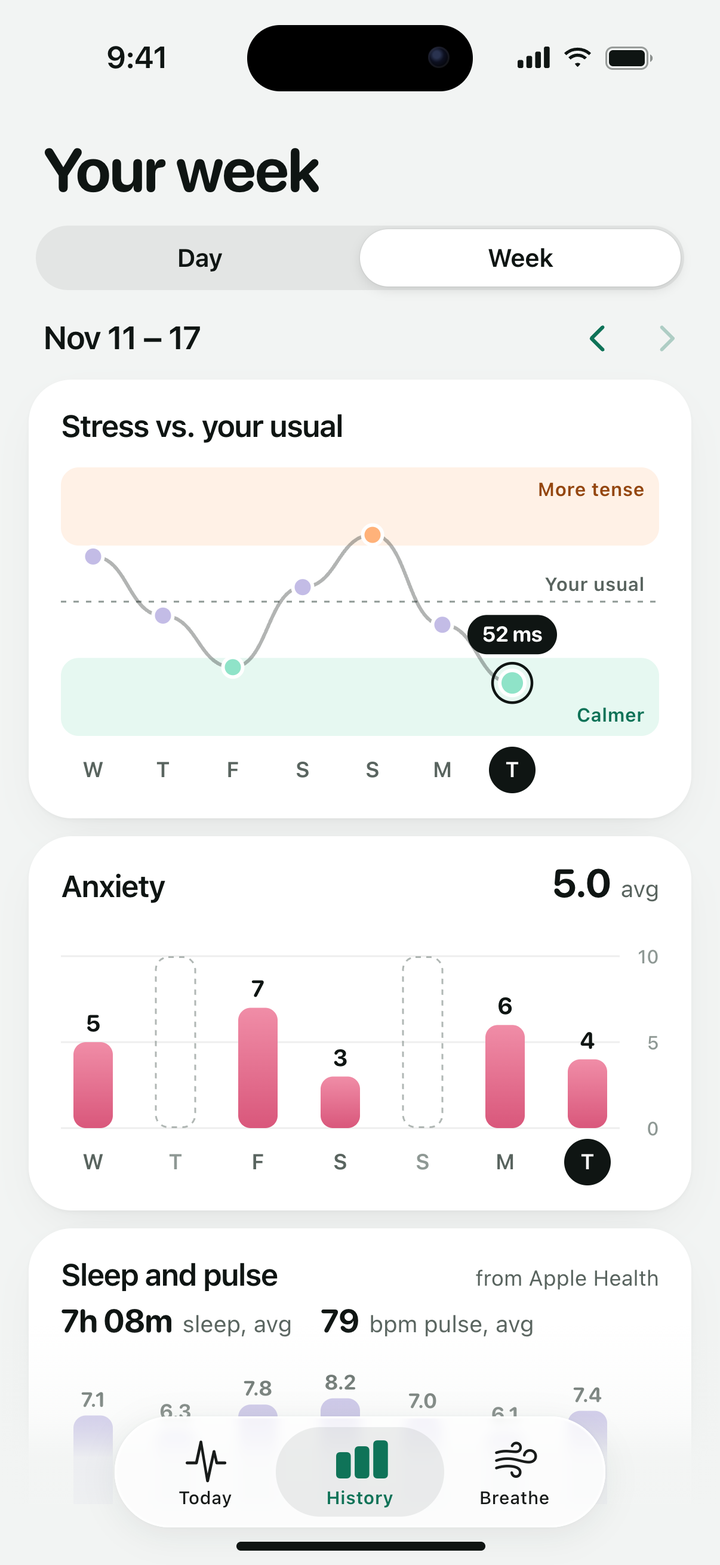
Heart rate, HRV and sleep from Apple Health, next to your checks. Your pulse history can make results personal from the first check.
Your live pulse on screen while you breathe.
Your stress level, pulse and HRV in 60 seconds. Just your iPhone.
Stress hits and all you have is your iPhone? That’s enough to check it.

Rest that thumb on the front camera.
The light shines through your thumb.
Then see your stress, pulse and HRV.
Your pulse is compared with people your age or your Apple Health history. After 3 days of checks, your HRV is compared with your own usual.
Soft taps from your iPhone lead each breath: in for 4, out for 6. Choose 1, 3 or 5 minutes.
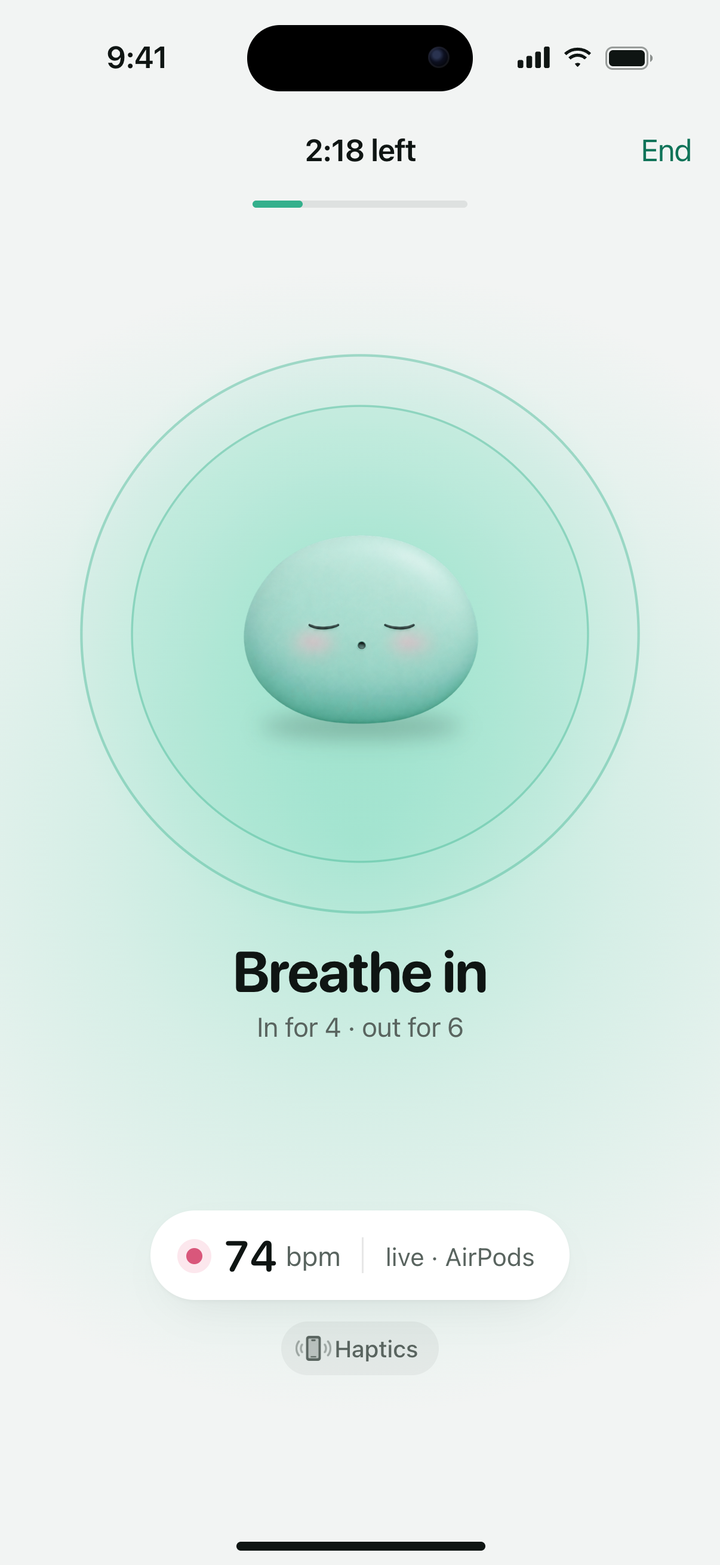
74 bpm live from AirPods Pro 3
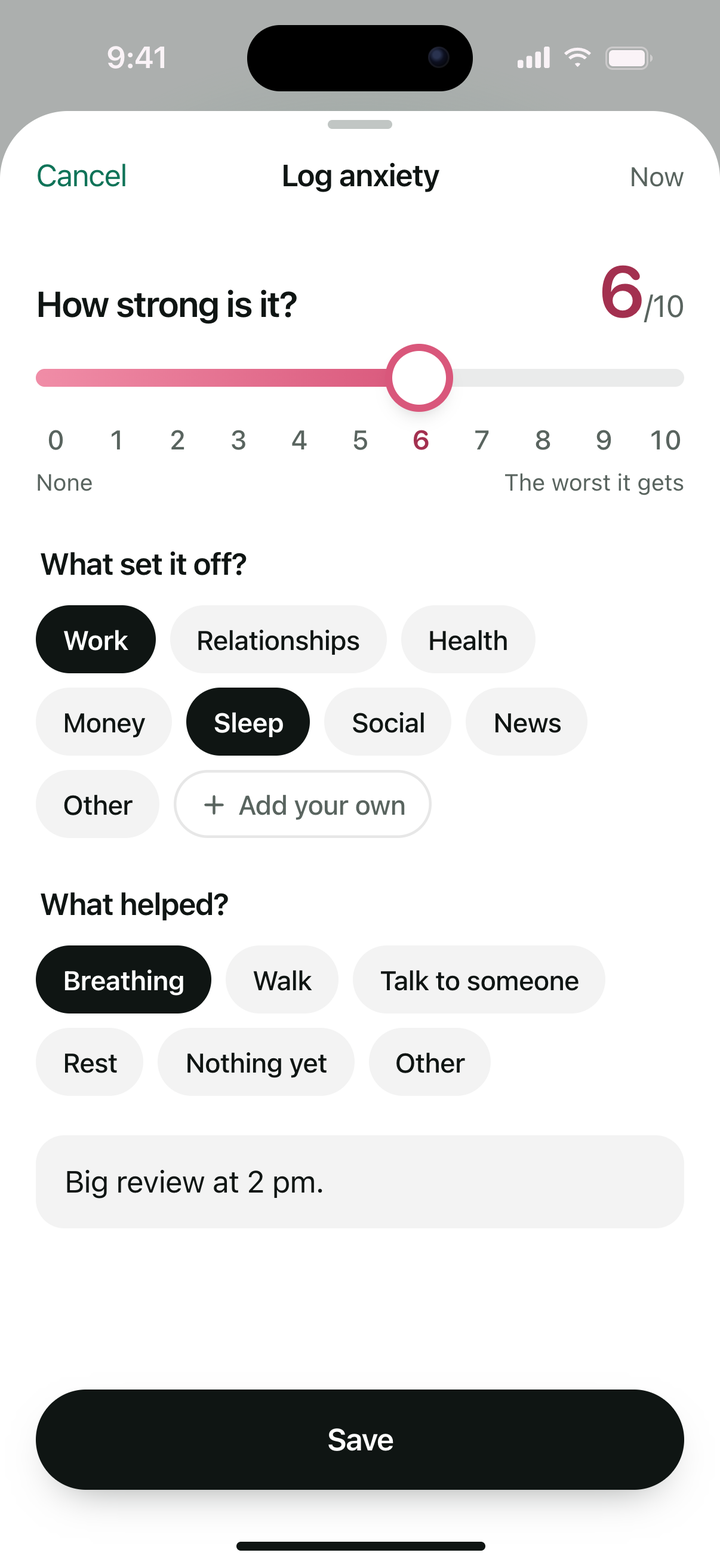
How strong it is from 0 to 10, what set it off, what helped, and a note if you like.
Your stress, the highest anxiety of each day, and sleep and pulse from Apple Health, lined up by day.
Your checks and logs stay on your iPhone, and in your iCloud Keychain if it’s on. They never reach us.
No. A check needs just your thumb on the front camera. An Apple Watch adds heart rate, HRV and sleep from Apple Health.
iPhone with iOS 17 or later. Live pulse with AirPods Pro 3 needs iOS 26.
It’s a wellness estimate, not a medical device. Keep your hand still for a clean reading. If your pulse can’t be read, the app says so and saves nothing.
The check reads your body, and body and feelings don’t always match. Rate how anxious you feel before the result, and it shows both.
Just the color of light through your thumb. Nothing is recorded, and the camera is off the rest of the time.
Anxiety Tracker needs a subscription: yearly, with a 3-day free trial for new subscribers, or weekly. Cancel anytime in the app under Settings › Manage Subscription. Cancel at least 24 hours before the trial ends and you won’t be charged.

Then $39.99/year. Or $6.99/week.